YouTube has released its final feature update review of 2025, which includes a range of changes, including the expansion of voice replies, broader availability of its “Create” app, updated channel guidelines, AI generation tools for channel posts and more.
First off, YouTube is expanding its voice replies option to “millions of creators,” providing another means to engage with your audience.
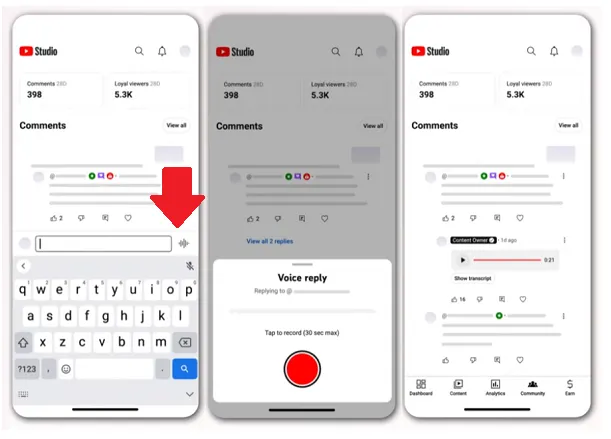
As you can see in this example, YouTube’s voice reply option enables channel managers to respond to comments under their videos with voice clips.
YouTube initially began experimenting with voice replies with selected creators in December last year, before expanding it to more creators throughout 2025.
And now, it’s expanding access once again, so a lot more creators will now be able to leave voice notes in response to viewer comments.
It could be another way to add a little more personality to your responses and drive more engagement in stream.
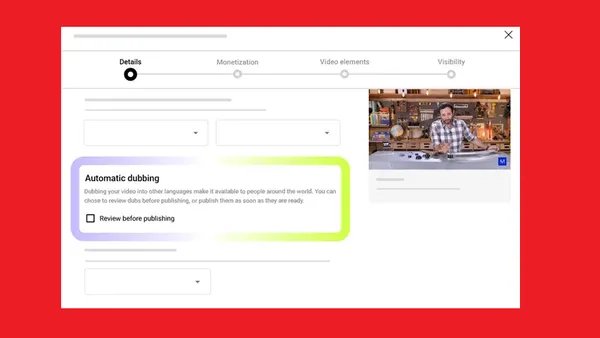
YouTube’s also rolling out a new setting for auto-dubbing, which will enable users to choose their own preferences for dubbing into different languages.
As per YouTube:
“Content with the original audio and preferred languages will not be translated, and will default to the original audio. Viewers can update their preferred languages on web or in the YouTube app.”
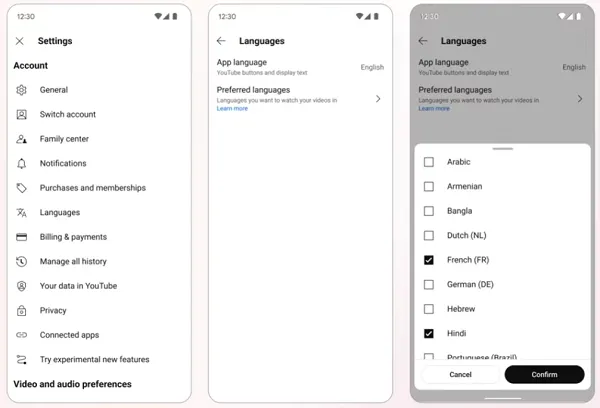
So if you’d prefer to get the original audio, you can now choose to stop YouTube from playing the auto-dubbed version based on your language preferences.
YouTube’s also bringing its separate “Create” video creation app to iOS.
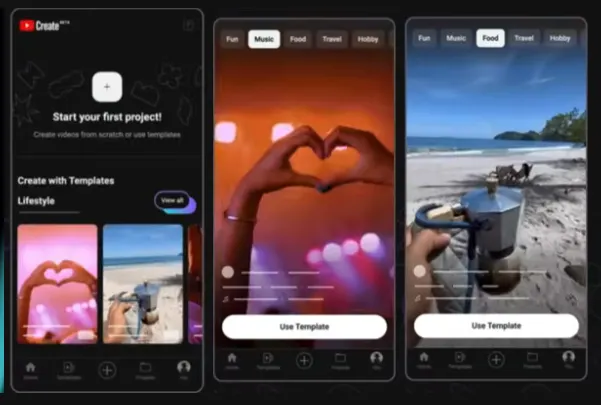
YouTube Create provides access to a range of video editing tools to create better-looking video content. It’s been available on Android for some time, but now, YouTube’s also launching an iOS version of the app.
So, another video creation option to consider, which could help you put together more professional-looking YouTube clips.
YouTube’s also expanding Superchat goals to vertical live-streams, providing another means to drive viewer donations.
Superchat Goals enables creators to incentivize donations during a livestream, by offering a reward at a certain donation threshold.
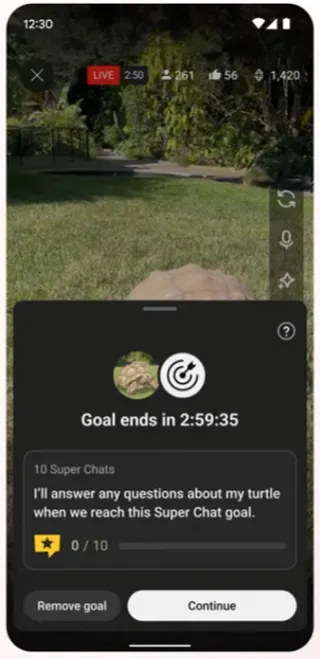
That can add an extra layer of interactivity and drive more viewer response.
And now, more live-streamers will be able to utilize this incentive, which could help to glean more donations in-stream.
Next, on Channel Guidelines: YouTube is making its Channel Guidelines option available to all creators with access to intermediate and advanced features.
Channel Guidelines enables channel managers to set rules around the types of conversations that they want to see in the comments, live chats and with their on-platform community.
And now, more channels will be able to create these rules, setting standards for in-app interaction.
“Viewers will see Channel Guidelines the first time they post a comment, live chat, or communities post on a channel that has Guidelines enabled on iOS and Android. Additionally, viewers will also see Channel Guidelines at the top of a video's comment section.”
Channel managers can set up Channel Guidelines via YouTube Studio on the web, by electing the option in “Channel Settings.”
Google is also rolling out its latest “Nano Banana” generative AI model to YouTube posts, providing another way to create and edit visual elements, and help to drive community discussion and engagement.
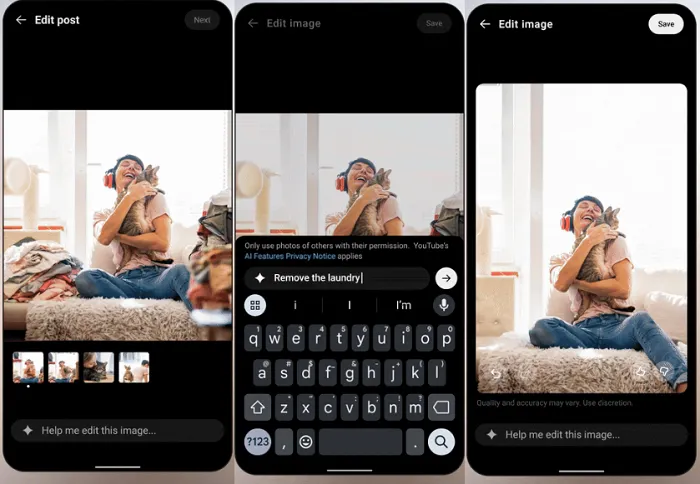
So now, you’ll have more options for creating your YouTube image content in-stream and/or editing your images.
“With Nano Banana, you can edit images in your YouTube posts to transport yourself to different locations, try on new outfits, switch up hairstyles, or time travel to different decades. You can also remove a distracting object or change a background color by easily adding, removing, or modifying specific elements with just a prompt.”
YouTube says that Nano Banana will be available to users who are over 18 and in the U.S., Canada, New Zealand and India.
YouTube’s also rolling out AI-powered suggested short-form clips from your long-form videos.
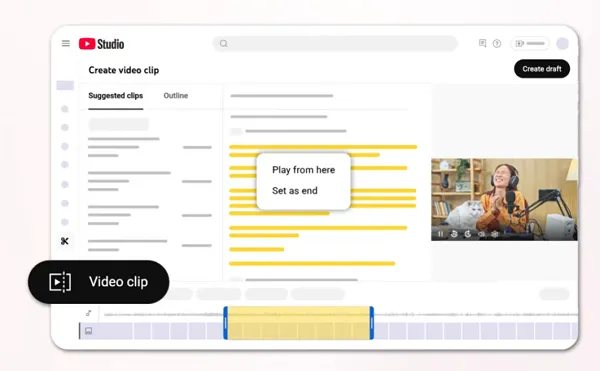
As you can see in this example, YouTube’s system will now provide recommendations for Shorts clips that can be clipped from your long-form content. The feature, at this stage at least, will be limited to videos in a podcast playlist, but it could provide another option to help creators expand into Shorts.
And with Shorts driving big engagement, that could be a big winner for your broader posting strategy.
The option will initially be limited to creators in the U.S. and Canada.
YouTube’s also launching comment summaries at the top of the comment section on some clips, in order to provide a simplified overview of the key focus of discussion based on each clip.
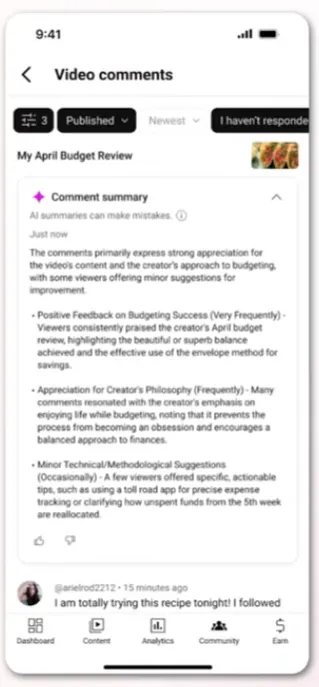
So, much like Facebook’s comment summaries, this could help you get a quick summary of what’s driving interest, and what people have questions about in a clip.
YouTube says that the feature will be turned on by default, but creators will need to select “Get summary” to read the overview.
“And if you'd prefer not to see the summary, there's no need to engage with the get summary prompt.”
Finally, YouTube’s also trying out some changes to the “Dislike” button on Shorts clips, in order to avoid confusion around the button’s intended purpose.
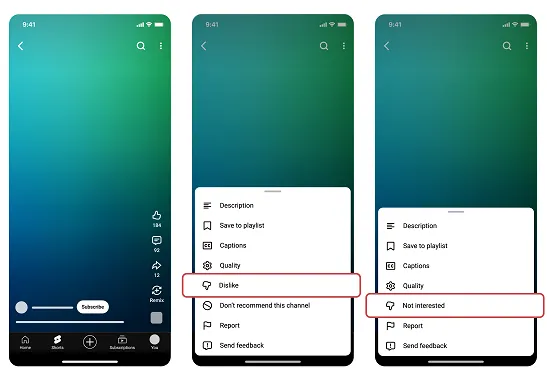
As explained by YouTube:
“Since launching Shorts, we’ve been listening closely to your feedback on how to improve the viewing experience. We’ve heard that you often use ‘Dislike’ and ‘Not interested’ interchangeably on Shorts, or aren’t sure what the differences are. To address this, and to better match with how people typically interact with short-form video feeds today, we’re experimenting with options where ‘Dislike’ and ‘Not Interested’ are merged into one ‘thumbs down’ icon behind the three dot menu.”
So, within this test, some users will see the thumbs down icon titled as “Dislike” and others will see it titled as “Not Interested.”
“All viewers in the experiment who click ‘thumbs down’ on a Short will receive an optional feedback survey, similar to how ‘Not Interested’ works today.”
That will give YouTube more insight into how people are actually using these options, and how to best present each in-stream.
So, a heap of YouTube updates to end the year, nothing major, no major shifts in usage or insight, but helpful expansions of projects and experiments that have been underway throughout the year.